
Creating a Quote
1. Log onto Jobber
2. Click on the “MORE ACTIONS” button at the top right of the screen.
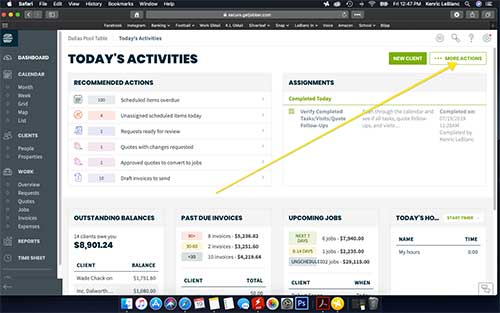
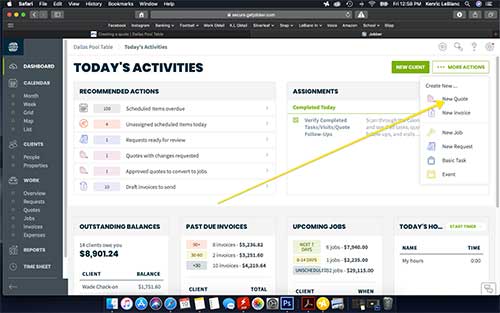
3. Whether you are creating a quote, a job, or an invoice, you should always create a quote first and then it will be really simple to convert it over to a job and/or invoice. Go ahead and click “New Quote“.
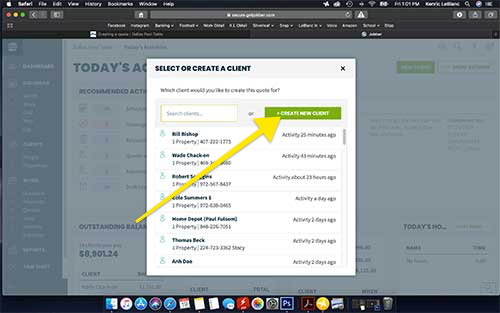
4. You’ll want to go ahead and create a new client if they aren’t a previous customer (which is normally the cas).
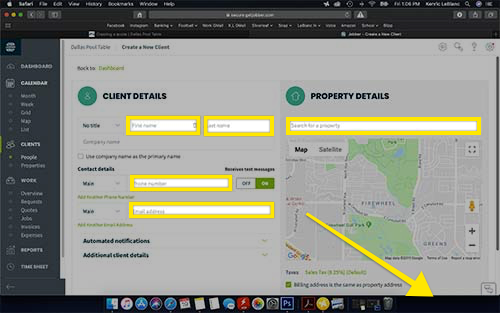
5. Go ahead and fill out their info. You’ll need to put in their name, phone number, email address, and delivery address. Once you have all of the information filled out, please click “CREATE CLIENT” at the bottom right of the screen.
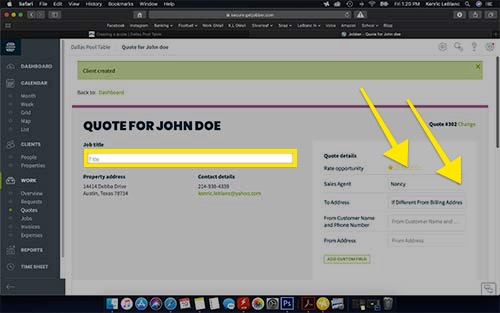
6. Go ahead and create the job title. This is what the installers will see on their calendar. I like to put the basics on here. For example; “New Table – Austin DW 8ft”. This tells them that they are delivering a new table and which table it is.
You’ll also want to rate the oportunity and make sure that you click the appropriate sales agent. We use this information to help us calculate commissions. Now is a good time to ask them how they found out about us. They will normally tell you if they talked to someone already. This can be fixed later once we know for sure.
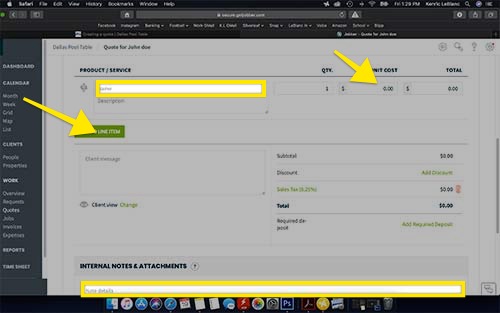
7. The Product / Service line is where you’ll fill out the product or service that you are looking for. It will autopopulate from our products and services so it will take a little getting used to to know what to search for. Usually the model name of the pool table will give you the best results. Once the list of options shows, scroll through and make sure you are selecting the correct model, size, and color.
You’ll want to double check the price and make sure that it is correct. There are reasons that we have multiple prices (for example if someone were to buy felt from us vs them getting felt included with a pool table).
There are also places for client notes or internal notes. I find it to be a good practice to use the internal notes regularly. Any info like that they aren’t ready yet as they are waiting for their house to be build. This helps remind you and others what is going on with that client.
You’ll also want to check the checkboxes so that the note will show in jobs and invoices as well.
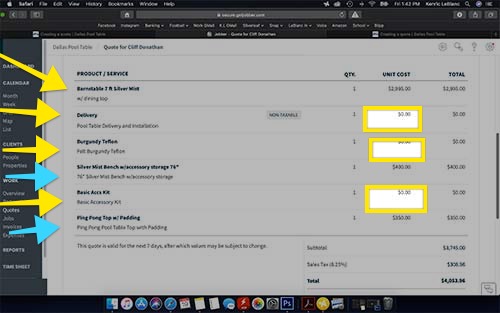
8. Below is a typical pool table order and some of the items that you might see on a quote. The yellow arrows are pretty standard and the aqua arrows are extras that they added.
- Pool Table
- Free delivery and Installation if they are in DFW, If they are further, we charge extra. I always added even when it is free so that they can see and remember the value of it.
- Felt and color. There will always be a felt along with a pool table. This is a good time to ask them if they want the Teflon upgrade. If I hadn’t already talked about it, I always ask while I’m entering it into the computer. This way I can make sure I get the price correct on the invoice.
- Accessory kit. They get a free basic accessory kit with the purchase of a pool table. This is another item where you’ll need to change the price. We put the price if they came in off the street so you’ll need to subract $85 from that if they are buying a pool table. Also make sure that the wood color of the kit is the one that matches and/or is the one that they are wanting. The basic has no color options.
When you are finished, please click on “Save Quote” at the bottom right.